Job portals, banks, landlords, schools and visa systems all ask for a copy of your identity card: a CNIC in Pakistan, an Emirates ID in the UAE, Aadhaar in India, or a driving licence. A good copy is sharp, straight, shows both sides, fits the upload limit, and does not hand over more personal data than needed. Here is how to make one with your phone in a few minutes.
Step 1: Photograph both sides
- Lay the card on a dark, plain surface in daylight. A light card on a dark background makes the edges easy to see.
- Hold the phone flat above the card so it does not look like a trapezoid, and fill most of the frame with it.
- Turn the flash off. Laminated cards reflect it and the glare hides text.
- Zoom in on each photo to check that the number and the expiry date are sharp.
You can also take the photos directly in Scan to PDF, which cleans up the background for you.
Step 2: Put them in one PDF
Open JPG to PDF, add the front and then the back, choose the A4 page size and create the PDF. You get two pages, front first. Most portals accept this.
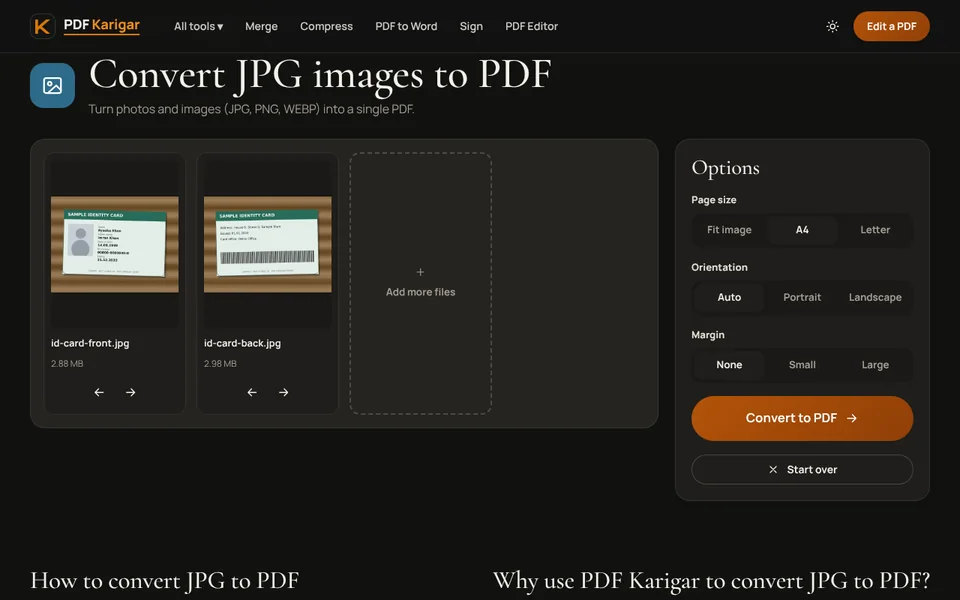
Both sides on a single page
Some forms, and many offices, want both sides on one sheet, like a photocopy. Make the PDF of the front with A4 and Portrait orientation so the card sits across the middle of the page. Then open that PDF in the PDF Editor, choose Image, add the photo of the back, and drag and resize it into the empty space below the front. Save the PDF. When printed, both sides appear on one page.
Step 3: Get it under the upload limit
Phone photos are several megabytes each, far more than an ID copy needs. Use Compress PDF to 100 KB or Compress PDF to 200 KB depending on the form. Then zoom in on the result and check that the ID number and dates are still easy to read. If the form allows a larger file, use the larger size; reviewers reject blurry ID copies.
Step 4: Share less personal data
- Only send what is asked for. If a form needs proof of name and photo only, ask whether the front alone is enough.
- Black out what is not needed. For a gym membership or a hotel booking, you might hide the full ID number. Redact PDF removes the content under the black box permanently, not just visually.
- Mark the purpose. Some people add a line such as “Copy for job application at Sample Company, March 2026” across the copy with the PDF Editor, so it is less useful if misused. Make sure it does not cover the details the reader needs.
- Use official masked versions where they exist, such as UIDAI’s masked Aadhaar, which shows only the last four digits.
Common reasons ID copies are rejected
- A corner of the card is cut off.
- Glare or a shadow hides the number or the photo.
- The card is expired. Check the date before uploading.
- The file is too compressed to read. Use the largest size the form allows.
- Only one side was uploaded when the form wanted both.
Everything here happens in your browser. Photos of your ID card are not uploaded to our servers. Delete copies from shared computers when you are done.
Frequently asked questions
Do I need both sides of my ID card?
Most forms that ask for an ID copy want both sides, because the back often carries the address or other details. If the form says front only, send just the front.
How big should an ID card PDF be?
Many portals allow 100 KB to 500 KB for an ID copy. Two clear phone photos usually fit under 200 KB after compression, and often under 100 KB.
Is it safe to send ID copies by email?
Email can be forwarded and stored for years. Send ID copies only where they are required, add a password with Protect PDF and share the password separately.